

Turn your meeting recordings into clear notes, summaries and next steps.
Drop in a recording or paste a transcript. Get back a structured meeting report, an action plan and a follow-up email.
See it work
From recording to report.
A real meeting goes in. Minutes, decisions, actions and the follow-up email come out, each one traced back to what was said.
Product demo · 56 s
What you get
One report, seven blocks, ready to share.
Every meeting comes back in the same structure, so your team always knows where to look.
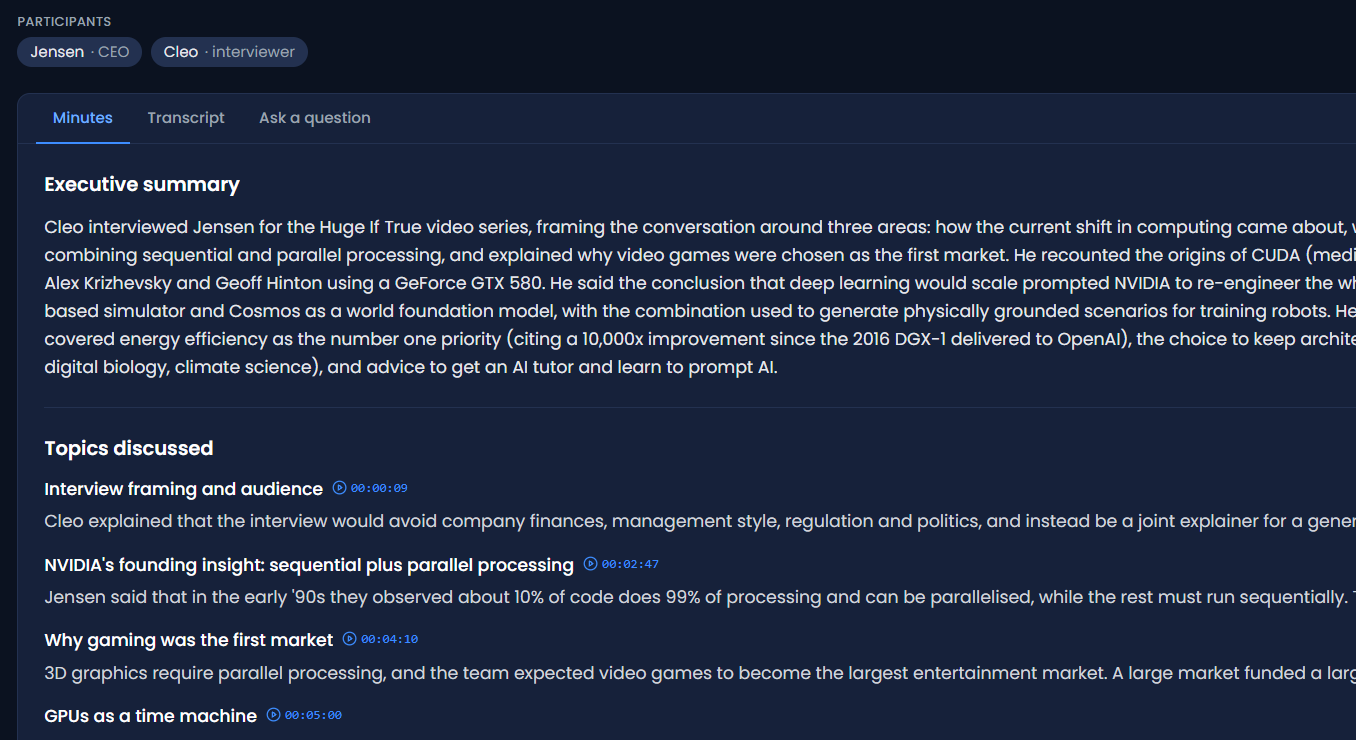
The minutes tab · summary first, then every topic with its timestamp
01
Executive summary
The meeting in a few lines, for anyone who was not there.
02
Topics covered
What was discussed, in the order it came up.
03
Decisions
What was agreed, each one tied to the moment it was said.
04
Actions
Who does what, by when, ready to be assigned.
05
Open questions
What was raised and left unanswered.
06
Risks
The concerns worth keeping an eye on.
07
Next steps
What happens after the meeting, in order.
And around the report
Follow-up email, drafted
Subject line and body written for you, ready to send.
Timestamped, interactive transcript
Every line clickable, each speaker separated.
Rename a speaker once
The new name carries through the summary, the actions, the exports and the email.
Speaking time per person
A plain measure of who spoke and for how long.
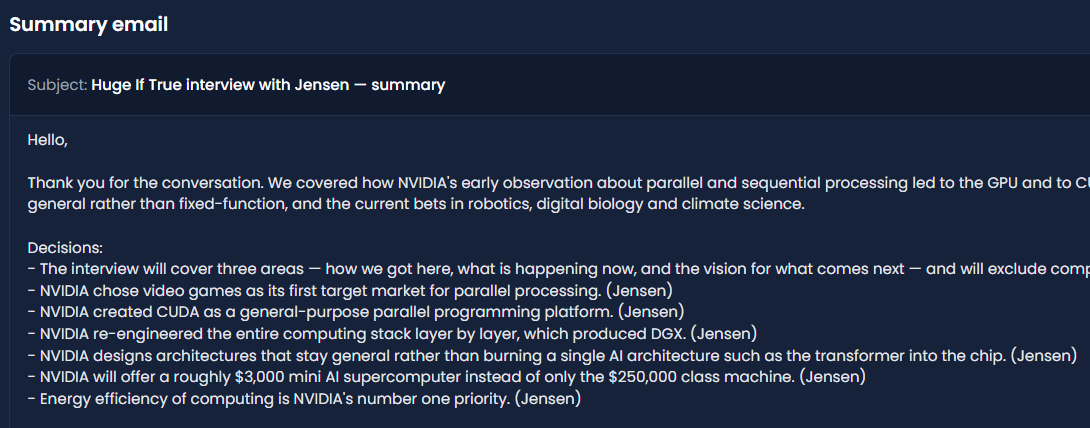
The follow-up email · subject and body drafted, one click to copy
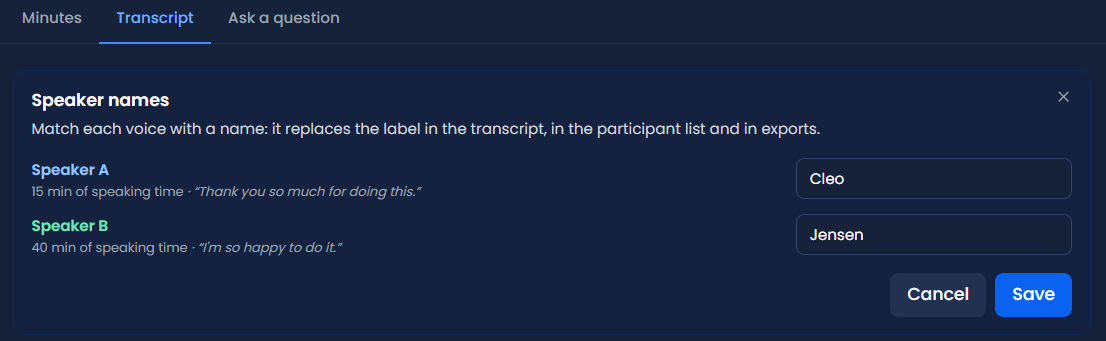
Speaker names · speaking time per voice, renamed once, applied everywhere
Bring what you have
A recording, a video or a transcript. It all works.
No need to change how you hold meetings. Stakk Recap takes what you already have.
5 ways in · one report
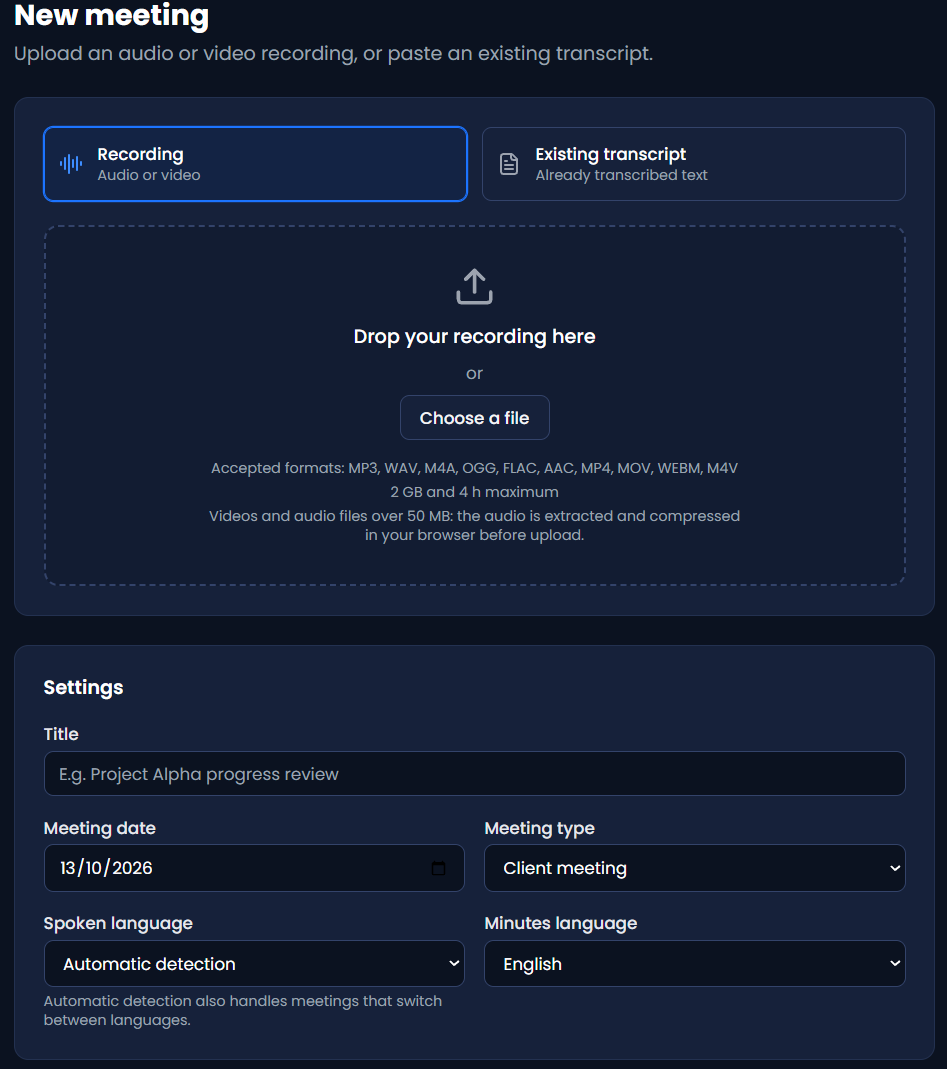
Audio or video
mp3, wav, m4a, ogg, flac, aac, mp4, mov, webm and m4v. Up to 4 hours and 2 GB per file.
Text mode
Paste an existing transcript from Teams, Zoom or your notes. You get the report without paying for a transcription.
Compressed before upload
Your browser shrinks the file before sending: a 1 GB video becomes about 11 MB per hour. If the connection drops, the upload resumes where it stopped.
Any language
The spoken language is detected automatically, bilingual meetings included. The report can be delivered in French, English, Spanish, German or Italian, whatever was spoken.
Participants declared up front
Name who will speak before you start, and the transcription gets more accurate.
The difference
Nothing in the report is invented.
Every decision and every action is linked to an exact quote from the meeting, with its timestamp in the recording, or its source passage in text mode. That link is checked by code, not only by the model.
Ask the meeting a question and the answer comes with clickable, timestamped sources. If something was never said, it replies that it does not appear in the meeting, rather than making it up.
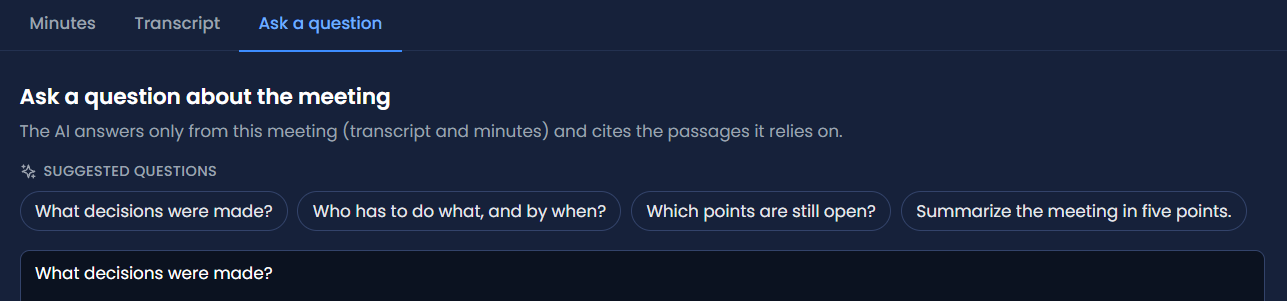
Ask the meeting · answers cite the passages they rely on
Take action
From notes to work, without retyping.
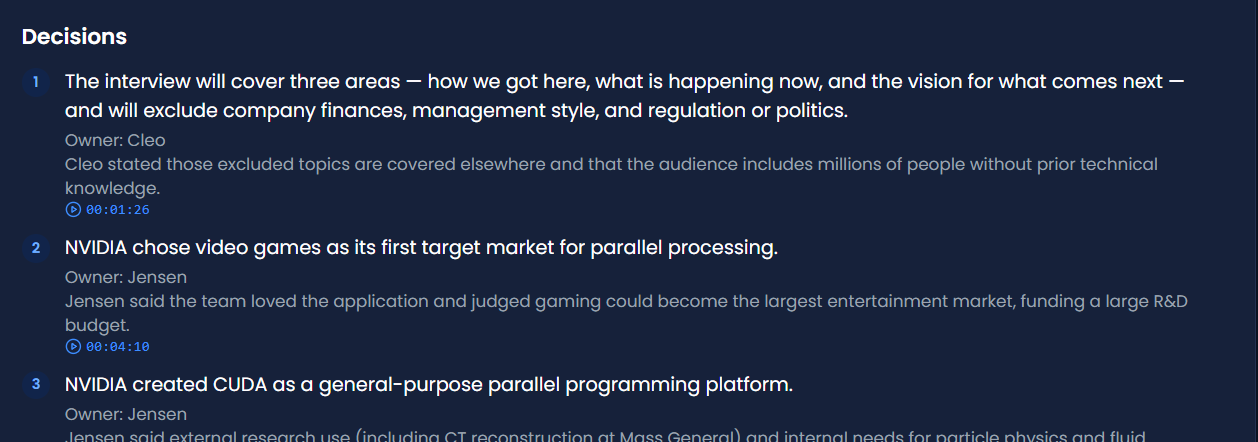
Decisions · each one with its owner, its context and its timestamp
An editable action plan
Owner, due date, priority and a status you tick off, right in the app.
Exports in every format
Word, PDF, plain text, Markdown, and the actions as CSV. Generated locally.
Send the summary by email
From the platform, to up to 5 recipients. Replies go back to the sender.
Notified when it’s ready
A “report ready” notification as soon as processing ends.
Your data
Your recordings, handled with care.
Meetings are sensitive. Here is exactly what happens to yours.
Details in the privacy policy
Straight to storage
Your file is sent directly to storage, without passing through an application server.
Audio deleted within 24 hours
The audio is deleted automatically within 24 hours, and erased at the transcription provider once processed.
Transcribed in Europe
Transcription runs on European servers.
Consent required
Participants’ consent to the recording is required. The privacy policy details every processing step, including the analysis carried out outside the European Union.
Speaking time, nothing more
A factual measure only: no scoring, no emotion analysis. Designed with the AI Act in mind.
Under the hood
Pay for what you use. Nothing more.
Pay per use
You see the cost before you start.
An estimate is shown before each run, you are billed for actual use, and a failed run is refunded automatically.
See pricing→AI model
Analysis by a latest-generation model.
The same model reads your meeting and writes the report, under the quoting rules described above.