How TheStakk works
From AI workflow to dependable application.
TheStakk provides the product layer an automation normally lacks: a usable interface, isolated workspaces, secure credentials, central updates, governance and metered execution.
What TheStakk adds
Client interface
Guided fields, plain results. The only layer your client ever sees.
Governance
Tenant isolation, RBAC, audit trail, metered execution.
Identity & secrets
Your brand, your domain, credentials in an encrypted vault.
The workflow
The logic you already built. Rebuilt as a native skill.
Three layers your workflow does not have on its own
The operating flow
Four stages. One repeatable system.
The same four stages whether your team runs the apps or an agency runs them for a client.
4 stages · configure once · run indefinitely
Choose the application
Start from the catalog or bring a proven workflow that deserves to become a reusable product.
Configure the workspace
Connect credentials, define rules, upload brand material and assign access in guided language.
One Google consent covers Sheets, Gmail, Contacts, Drive and Business Profile — accesses visible and revocable at any time.
Run real work
Users complete a focused interface and receive a defined, reviewable result without seeing the underlying logic.
Operate once
Usage, execution history, permissions and updates are managed centrally across every deployment.
The user experience
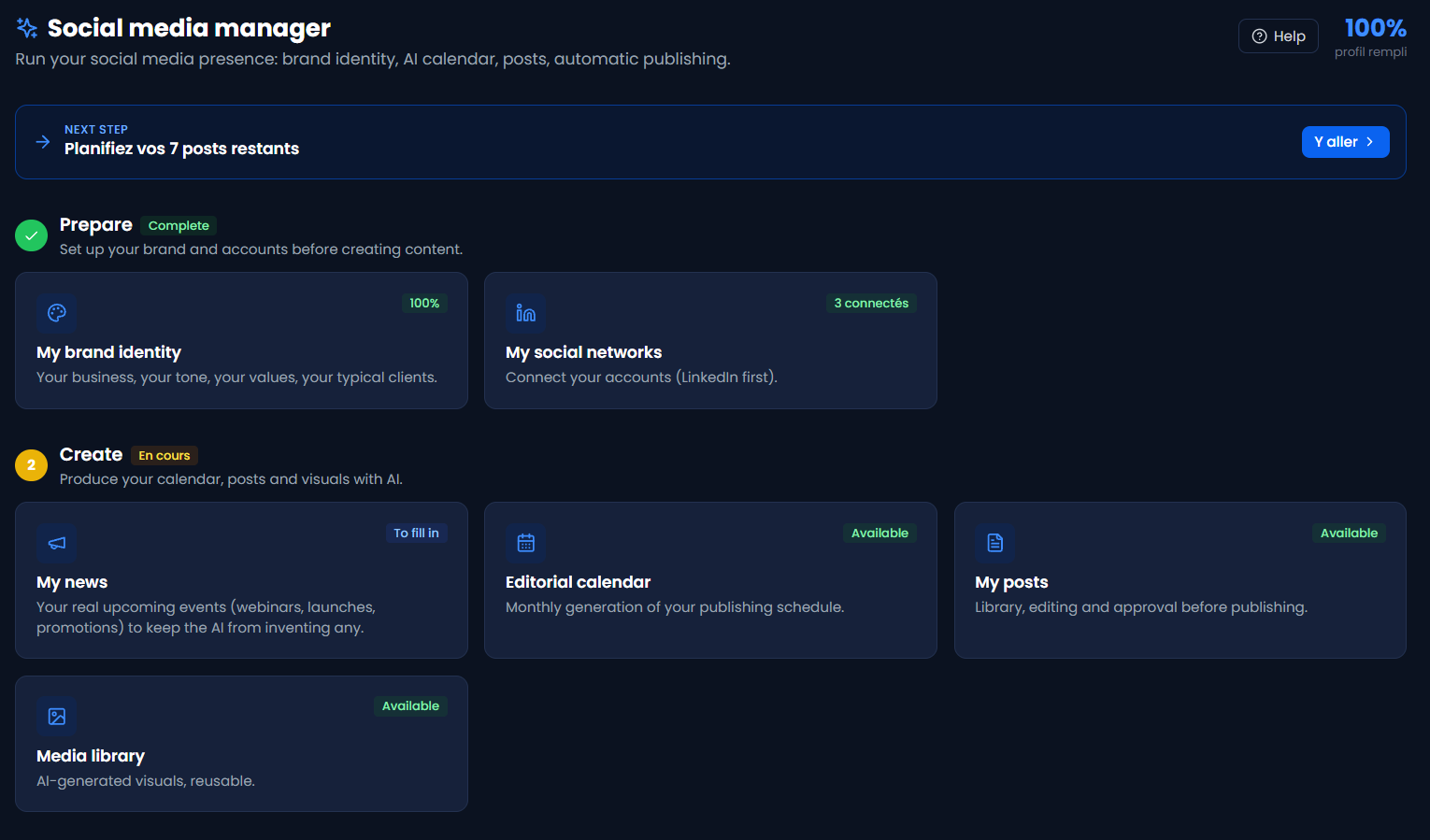
The user sees an app, not an automation stack.
Each application asks for only the information needed to complete the task. The workflow, prompts, credentials and execution infrastructure stay behind the interface.
What really changes
The power stays. The complexity fades.
A workflow can run perfectly without being usable by a team. TheStakk adds a working interface and an operating framework around it.
What sits underneath
The infrastructure around the intelligence.
Three layers, built once and applied to every deployment. This is the part an individual automation never has, and the reason a workflow can become a product.
3 layers · 16 capabilities · one operating system
Application interface
What the person using the app sees. Nothing about the workflow, the model or the credentials reaches this surface.
Guided inputs
Each app asks for the few fields the task needs, in plain language, not a prompt box.
Defined outputs
A result with a known shape: a report, a draft, a scored list. Reviewable before it is used.
Self-updating forms
When an app improves, the interface changes with it. Nobody has to relearn anything.
No technical surface
No prompts, no API keys, no node graph, no logs. The stack is not visible from here.
Identity and isolation
Every organisation is a separate tenant. Separation is enforced in the data layer, not by convention.
Tenant separation
Each client is a distinct tenant, separated at database level. No query path runs between them.
Encrypted credential vault
Keys are encrypted at rest and injected at runtime. Never rendered in an interface or a log.
Role-based access
Who can run apps, manage credentials and read results is set per workspace.
Branding and domain
Under the agency model, the workspace carries the agency’s brand, domain and pricing.
Execution and governance
The part that is built once and applies to every deployment – the reason ten clients do not mean ten stacks.
Metered execution
Credits consumed per app, per workspace, per month. Margin is known before the invoice.
Exportable run history
Every run recorded: which app, which client, when, what it consumed.
Central updates
An app is improved once and every deployment receives it. No version drift across clients.
Shared connectors
A reviewed library of integrations, rather than a bespoke connection per client.
Reviewed skills
Every skill passes review before it reaches a client workspace.
EU processing
European infrastructure, documented processing, published subprocessors.
Scoped API keys
Keys restricted per endpoint, with IP allow-lists and per-key quotas. Plug your own tools in, on your terms.
Verified custom domains
White-label domains are DNS-verified, not just aliased.
Questions
What people ask about the platform.
Can I bring an existing workflow? +
A proven workflow can be rebuilt as a native skill. This is not a universal one-click import: compatibility and the adaptation required are assessed before deployment.
What does the end user see? +
An application with guided fields and results to review. Connections, brand context and access are configured in the workspace. The user never works with the automation graph.
What changes between business and agency use? +
Businesses use the applications for their own teams. Agencies deploy them for clients under their own brand and domain, and own the commercial relationship. The technical foundation is the same.