Social content that sounds like you. Because it can’t make things up.
Brand-aware posts and campaigns for LinkedIn, Facebook and Instagram, planned, written, illustrated, scored and published from one place.
Publishes natively to

The difference
The AI that isn’t allowed to invent.
Most AI tools will happily announce a discount you never offered. Ours can’t. You log your real news – a webinar, a promotion, a launch, a closing date – and promotional posts can only be built from those. No real news? Zero promo posts. The AI is forbidden, by design, from inventing a date, a price, a number or an offer.
And it works both ways: log a real event – a launch, an open day, a seasonal offer – and your calendar builds the promotional posts around it, dates and details exactly as you wrote them.
How it works
Five steps, and the app carries four of them.
You teach it your brand once. After that your job is approving, not writing.
5 steps · one workspace
Teach it your brand
A guided 7-step Brand DNA: your business, your tone, your values, your personas, your hashtags, your visual style, your publishing strategy. A completeness score unlocks the rest.
Get your month, planned
The AI drafts a full editorial calendar: topics, angles, categories, dates. You steer the value / brand / promo mix with a slider, allowed weekdays and max posts per day.
Generate – one post or the whole month
Each slot becomes a written post, calibrated for its network and persona, with your tone and your banned words. Batch-generate by week or selection, with a live counter of successes, failures and credits used.
Score, refine, approve
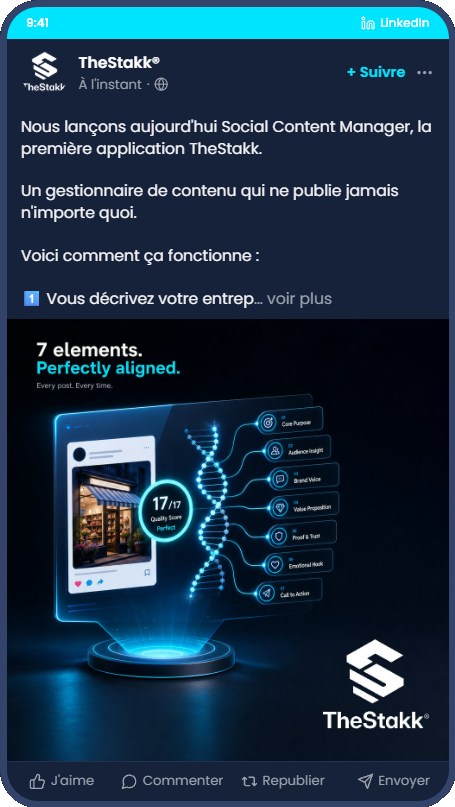
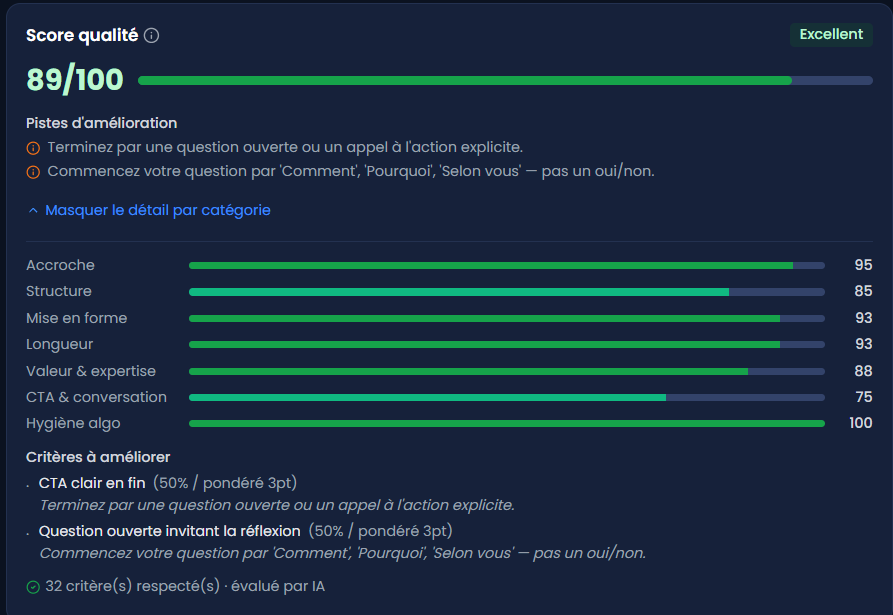
Every post gets a quality score out of 100 against network-specific criteria (hook, length, structure, CTA, hashtags, readability), with eliminatory checks and concrete advice. Then refine it in a real back-and-forth conversation, in your own words – “shorter”, “warmer”, “add a CTA”, “less salesy” – accept or reject each proposal, and step back to any earlier version at any time. And before anything ships, see the post exactly as it will render in the feed – header, “see more” truncation, action bar, image placement – per network, not a generic mockup.
Publish while you sleep
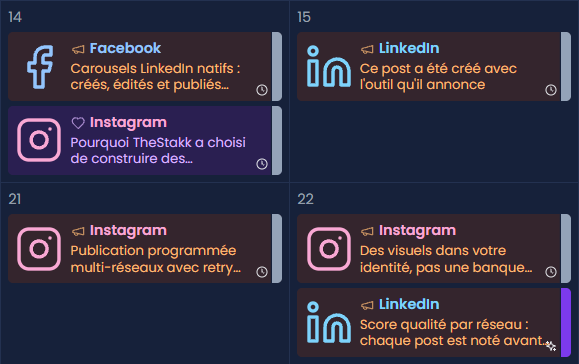
Publish now or schedule; a publishing robot runs every couple of minutes, retries on failure, and logs every attempt. Statuses from draft to published, a color-coded calendar, and monthly reports.
In the product
Three screens that carry the month.
Visuals
Images that look like your brand, not a stock library.
An AI art director, not a slot machine
Before any image is generated, a first pass reads your actual post and derives a concrete scene: subject, setting, emotion. The app even tells you why this scene.
Native formats, no cropping
You choose the format – square 1:1, portrait 4:5, landscape, wide 16:9 – and the image is generated natively at that exact ratio and size for its network. Never cropped after the fact.
Your logo, placed properly
The logo corner is reserved in the composition, then your logo is overlaid server-side after generation. Never an AI-distorted logo.
Your references in, your universe out
Your product photos, moods and brand guidelines are used as reference images.
Carousels – generated, edited, then published natively.
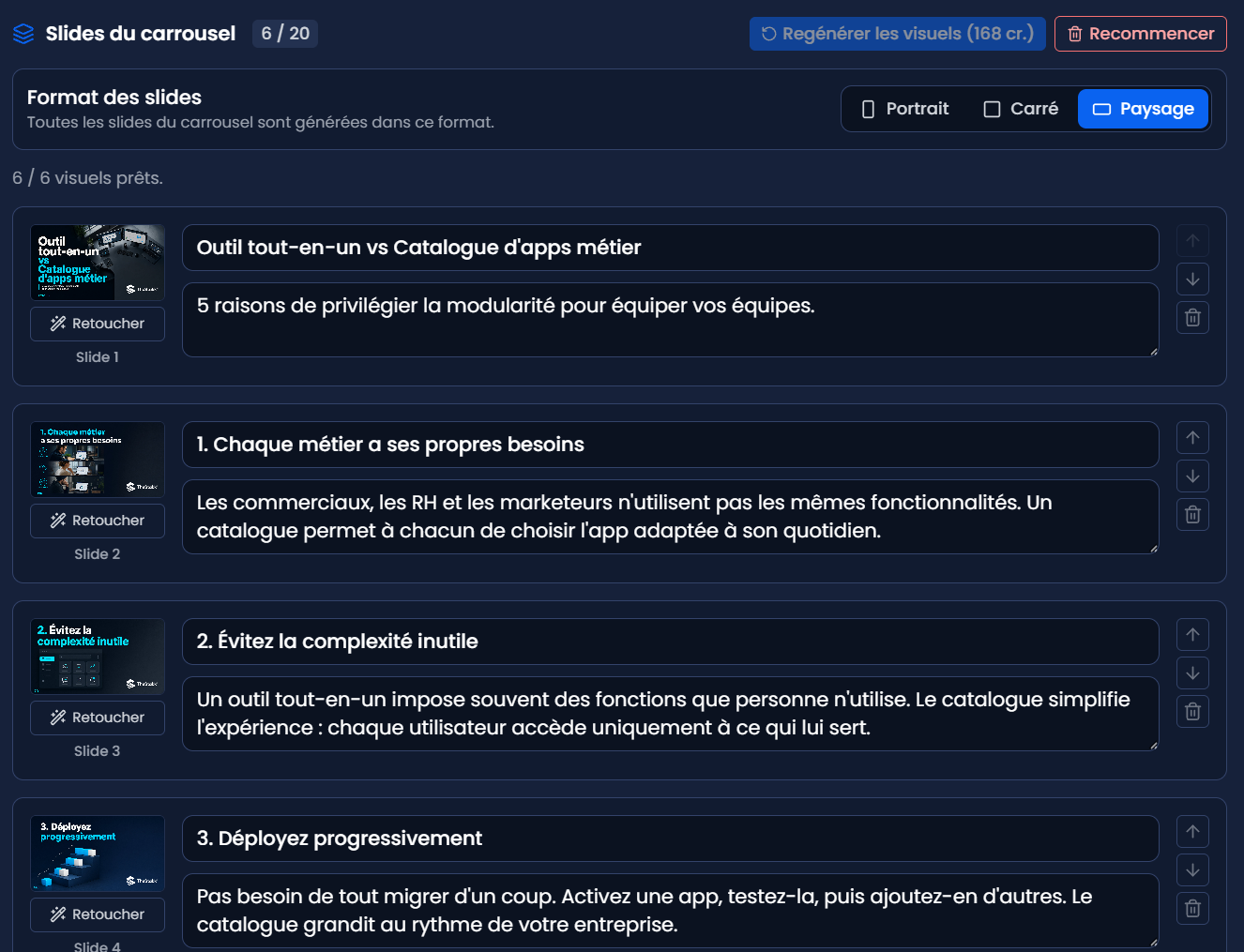
Built slide by slide from templates – cover, content, call-to-action – with any single slide editable before it ships. Published as native LinkedIn documents and Instagram carousels, not images pretending to be slides. Most tools do the slides or the publishing, never the whole chain, in your brand. Interrupted mid-publish? It resumes where it stopped.
Day to day
The unglamorous parts, handled.
One-click connections
LinkedIn, Facebook and Instagram via official OAuth. Connector health visible; tokens refresh themselves.
A media library that compounds
Every visual generated or imported, tagged, reusable, served over signed URLs.
Reports you can forward
Planned, generated, approved, published; value/brand/promo mix; per-network split; average quality score; credits used. Six months of history.